
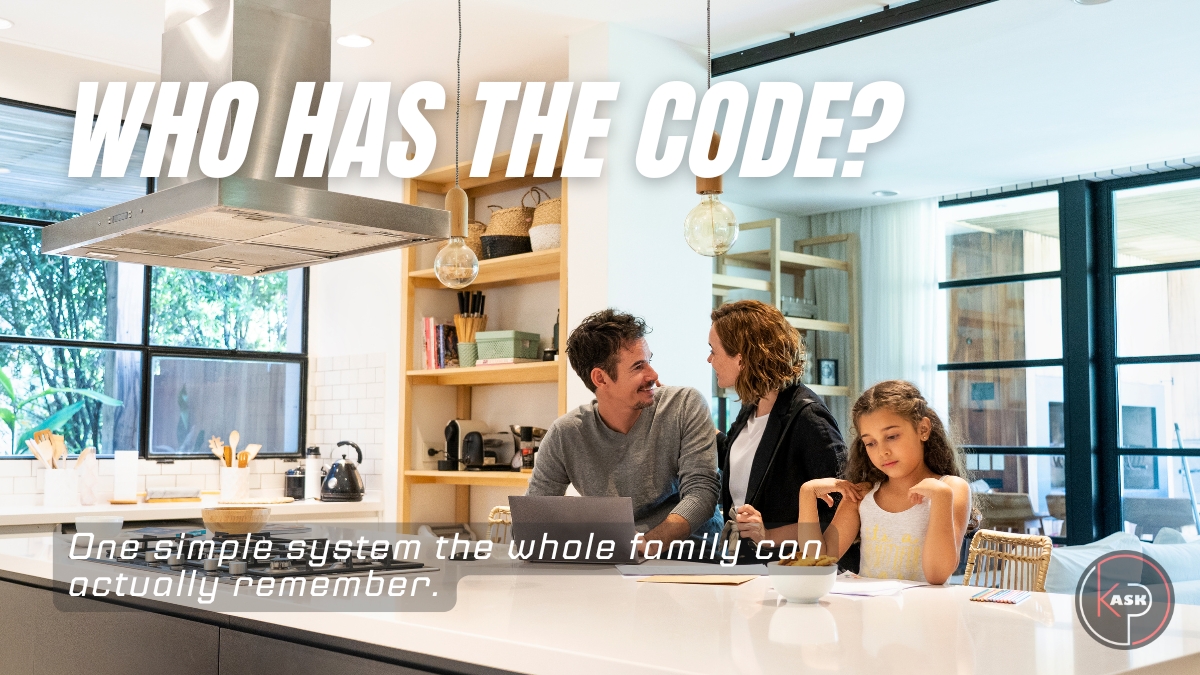
What's the Best Way for Your Family to Keep Track of Passwords?
If you've ever stood in the kitchen at 7:40 a.m. while your teenager yells "what's the Wi-Fi password again?" and your spouse is locked out of the bank app and grandma can't remember which email she used for the doctor's portal, congratulations, you've discovered the most universal household problem nobody talks about at dinner.
Every family runs on passwords now. Streaming logins, school portals, banking apps, smart locks, pediatrician sites, the router itself. And almost every family handles them the same chaotic way: a mix of memory, guesswork, sticky notes, and one overworked family member who "just knows everything."
That's not a system. That's a single point of failure with a pulse.
The good news is that fixing this doesn't require becoming a cybersecurity expert. It requires one decision, one tool, and one short conversation with your household. Let's walk through it the way I'd walk through it with a neighbor over coffee - plain language first, the "why" behind it second, and a clear next step at the end.
The Password Habits Quietly Putting Your Family at Risk
Before we talk about the right way, it's worth being honest about the wrong ways because most households are doing at least one of these right now, and they feel harmless. They're not.
The sticky note on the monitor or junk drawer. It's visible to anyone who walks into the house, including a contractor, a babysitter, or a houseguest's curious kid. Paper also doesn't get updated, so half the passwords on it are probably already wrong.
One password for everything. This is the big one. When the same password protects your email, your bank, and your kid's gaming account, a breach at the weakest of those three (usually the gaming site) hands an attacker the keys to everything else. Security researchers call this "credential stuffing," and it's one of the most common ways family accounts actually get compromised, not through some elaborate hack, but through password reuse.
Sharing logins over text or group chat. Convenient, sure. But text messages live forever in your phone's backup, your carrier's systems, and anyone else's phone in that thread. It's a permanent, searchable record of your most sensitive information sitting in an app that was never designed to protect it.
An unprotected spreadsheet or notes app. Better than paper, worse than you'd think. A file named "passwords.xlsx" sitting in Google Drive or Dropbox is in plain text, meaning if that account or device is ever compromised, everything is exposed at once, instantly readable.
Relying only on browser-saved passwords. Your browser's autofill is fine as a convenience, but it was never built as a family security system. It doesn't sync cleanly across every device, doesn't handle shared accounts well, and offers little protection if someone is already logged into your computer.
None of these habits make you careless. They make you normal. But "normal" is exactly why family accounts get compromised so often, not through sophisticated attacks, but through small, everyday shortcuts that quietly add up.
What's the Simplest Secure System, Really?
Here's the part that surprises people: the fix is simpler than the mess they're currently dealing with.
The answer is a dedicated password manager with a family or shared plan. Names you'll see in this category include 1Password, Bitwarden, and Dashlane, NordPass among others - all reputable, all built specifically for this problem.
Here's what one of these actually does, in plain terms:
It creates an encrypted digital vault. Think of it as a small, locked safe that lives in the cloud and syncs across every phone, tablet, and computer in the house. Inside that vault, you store every login your family uses. Some entries are private to one person; others can be shared with specific family members or the whole household.
The technical term worth knowing, because it's the reason this is actually secure, is zero-knowledge encryption. It means the password manager company itself cannot read what's inside your vault. Your data is scrambled (encrypted) on your own device before it's ever sent anywhere, and it can only be unscrambled with your master password, which only you know. Even if the company's servers were ever breached, what an attacker would find is unreadable noise, not your actual passwords.
That single master password is the one thing every family member has to remember, and it should be a memorable phrase rather than a short, complex string. Something like "ThreeRedBikesInTheGarage2026!" is both easier to recall and dramatically harder to crack than "Tr@1n!" because length matters more than complexity. A long passphrase beats a short jumble nearly every time.
Once that vault exists, the manager can also:
- Generate strong, unique passwords automatically for every new account, so no one's reusing "Sunshine123" anywhere.
- Flag weak, reused, or breached passwords across the whole family with a security health check.
- Securely share specific logins (the Wi-Fi, the streaming services, the family Amazon account) without anyone ever seeing the actual characters of the password.
- Work across every device, so the 16-year-old's phone and grandpa's tablet are both covered under one plan.
This is the "boring but bulletproof" solution, and in security, boring is a compliment. It removes guesswork, removes sticky notes, and removes the one overworked family member from being the human backup system.
How Do You Get the Whole Family Actually Using It?
This is where most households stall out. The tool isn't the hard part. Adoption is. A password manager only works if everyone actually opens it instead of falling back on old habits. Here's a realistic rollout that works across generations.
Start with one short family meeting, not a lecture. Five minutes at dinner is enough. Explain the "why" with a real example - like a relative who got locked out of an account, or a news story about a data breach - rather than a list of rules. People adopt new habits faster when they understand the reason, not just the instruction.
Migrate the shared accounts first. Wi-Fi, streaming, the family calendar app, smart home devices. These are low-stakes, high-frequency logins that everyone uses constantly, so the family feels the benefit almost immediately. No more "what's the Wi-Fi password" texts.
Let each person set up their own private vault next. Kids and teens should have their own logins for school portals and personal accounts, separate from the shared family entries. This also quietly teaches them a real-world digital literacy skill they'll carry into adulthood, which fits neatly into raising kids who are actually prepared for an online-first world.
Handle reluctant relatives with patience, not pressure. For a tech-wary grandparent, sit with them once and set it up together rather than sending instructions. Most password managers also offer browser extensions and autofill, meaning that after the initial setup, daily use requires almost no extra effort. The tool does the remembering, they just click "use saved password."
Designate a household tech lead, but build in a backup. Pick one person (often the one already fielding all those 7 a.m. questions) to manage the family plan, add new members, and handle account recovery. Then make sure at least one other adult knows how emergency access works, which brings us to the question every family eventually asks.
What Happens If Someone Forgets the Master Password, or Something Happens to Them?
This is the question that stops most families from making the switch, and it's a fair one. If a password manager is "the one key to everything," what happens if that key is lost?
Reputable password managers anticipate exactly this. Most offer:
Emergency access. You can designate a trusted family member (a spouse, an adult child) who can request access to your vault if you're unreachable for an extended period. There's typically a built-in waiting period before access is granted, which protects against someone misusing the feature while still ensuring your family isn't permanently locked out.
Account recovery options, like a printed recovery key kept somewhere safe (a fireproof box, a safe deposit box), the digital equivalent of a spare house key.
Digital legacy planning. Increasingly, this overlaps with broader estate planning: who should have access to your financial accounts, photos, and digital life if something happens to you. It's worth treating your password vault the same way you'd treat a will or a list of insurance policies, something a trusted person can access in an emergency, not something that disappears with you.
The honest answer is that no system is "lose-proof," but a password manager with emergency access is dramatically safer than the alternative most families are currently using: one person's memory, with no backup plan at all.
Your Next Step
You don't need to overhaul your entire digital life this weekend. You need one decision: pick a reputable password manager, set up a family plan, and migrate your shared logins first. That's it. That's the whole project, and it usually takes less time than the last argument over a forgotten streaming password.
Start tonight with the accounts everyone touches daily (Wi-Fi, streaming, the family calendar) and let the rest follow naturally over the next week or two. Within a month, "what's the password again?" will be a question your family stops asking altogether.
Clear. Practical. Human. That's the Ask KP way, one answer at a time.